AI Translation Notice
This document is automatically translated by AI. If you can read Chinese, we recommend checking the original Chinese documentation for more accurate information.
Level Sweeping
TIP
This chapter applies to Bounty, Commission, Scrimmage, Event Stages, Multi-Sweep(One Click Raid), Normal Map Sweep, and Hard Map Sweep.
Location and Stage Description
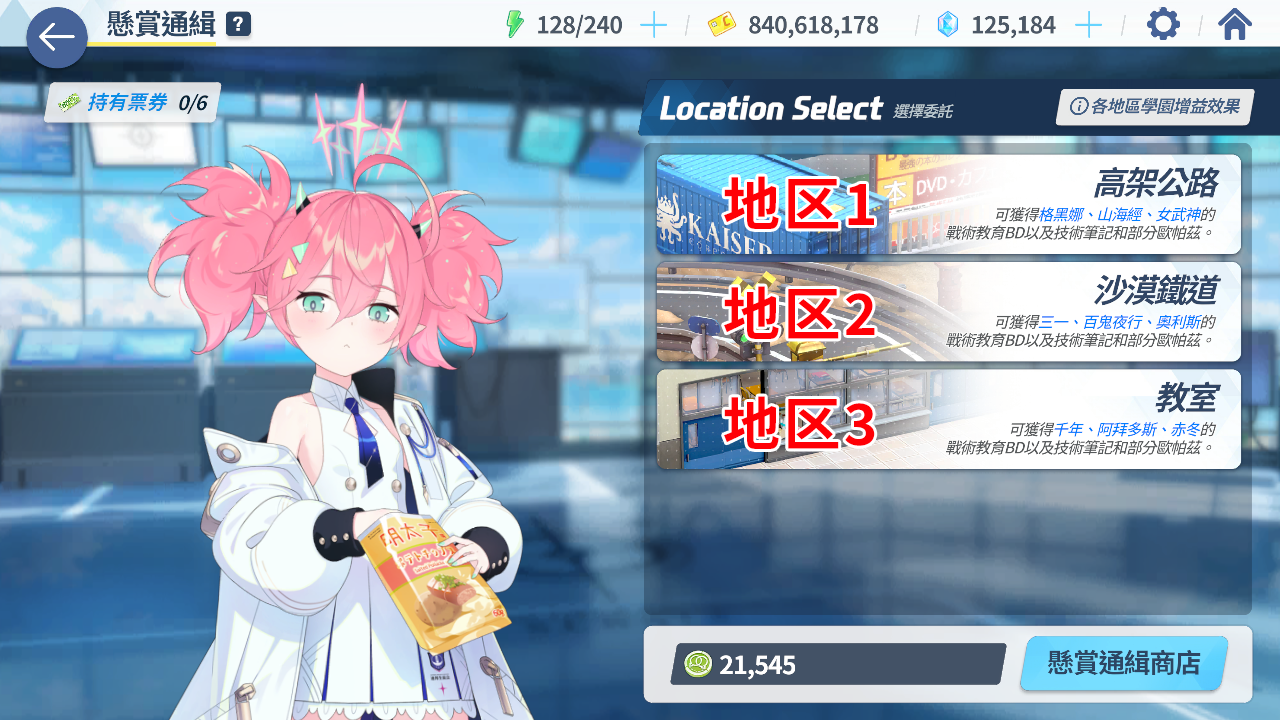
Location refers to the top-level primary area, which is divided into two types:
1. For levels that require entering a secondary menu, such as Bounty, Commission, and Scrimmage
These are the multiple areas displayed in the primary menu, sorted from top to bottom.
Example using Bounty
2. For levels in Normal Map Sweep and Hard Map Sweep
This is the area number displayed in the top-left corner of the interface.
Example using Normal Map

Stage refers to the level number that needs to be swept after entering the corresponding area, sorted from top to bottom.
Example using Normal Map
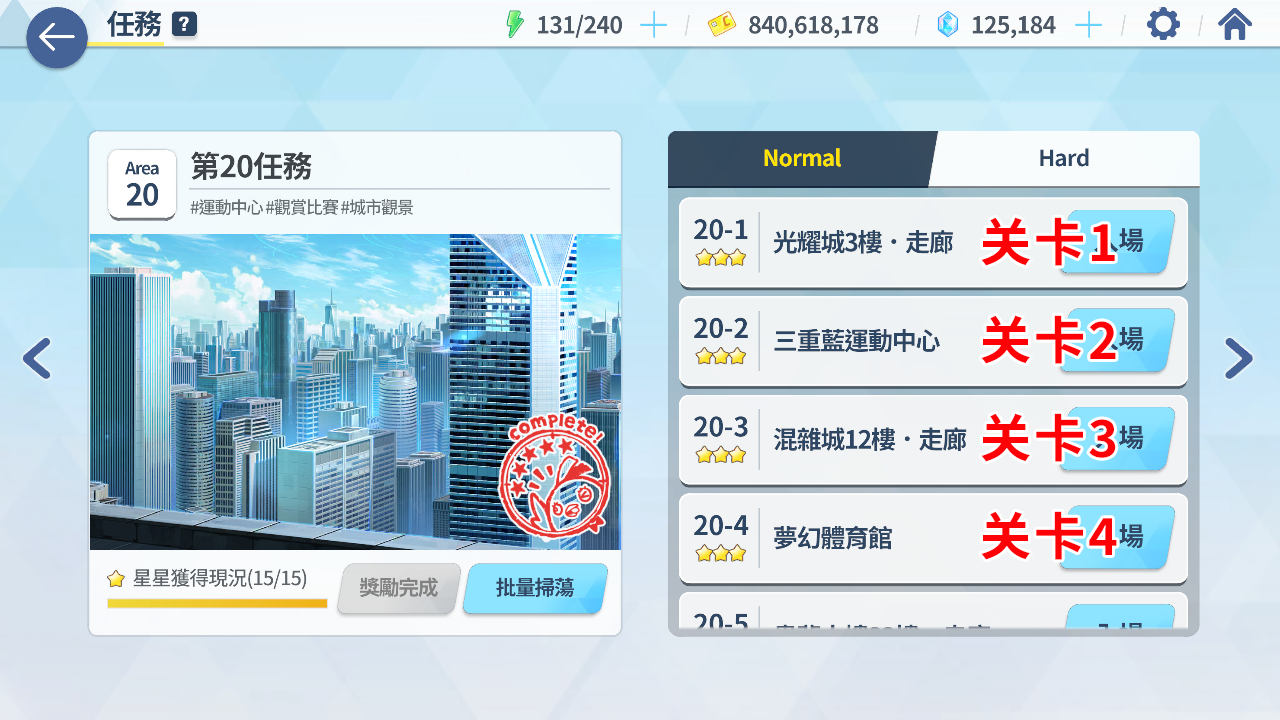
📝 Note: If a negative sign is added to the stage number, it will be ordered from bottom to top. For example,
-1represents the first sweepable stage from the bottom.
Times Description
| Input Times | Action |
|---|---|
| number | Sweep number times |
| -1 | Sweep Max times |
| -number | Sweep (Max - number) times |
Examples:
| Input Times | Action |
|---|---|
| 5 | Sweep 5 times |
| -1 | Sweep Max times |
| -3 | Sweep (Max - 3) times |
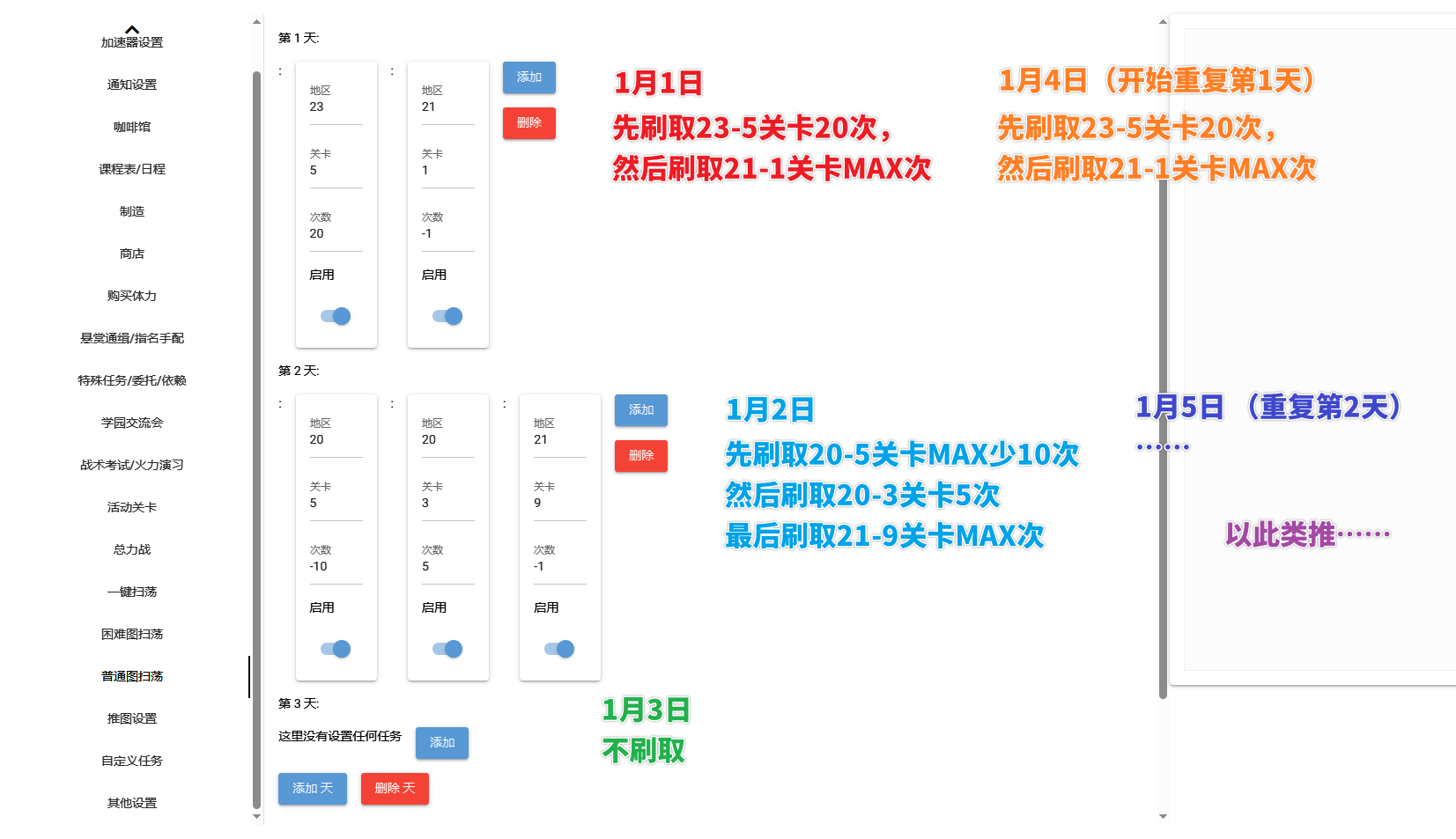
Defining Content for Different Days
You can define the content to be swept on different days by filling in different days.
- If only one day is filled, only the content of that day will be repeatedly swept.
- If multiple days are filled, the sweeping will follow the date order, and after the last day, it will repeat the content of the first day.
- If a day is left blank, i.e., the prompt No tasks are set here, it will skip that date directly.
Example Including the Above Features