
AI Translation Notice
This document is automatically translated by AI. If you can read Chinese, we recommend checking the original Chinese documentation for more accurate information.
Total Assault
WARNING
All automatic battles will use the game's default AUTO mode. Please ensure your team is sufficiently leveled.
What? You can't even clear it manually? Well, the script definitely can't clear it either.
This feature can only complete daily token farming, and cannot be used for score optimization.
Assault can automatically complete daily Assault stages using AUTO mode, and can automatically progress to the target difficulty.
You need to configure your teams in advance in the Total Assault interface.
Configuration
Configure the target difficulty level by entering a number. The target difficulty should be approximately two levels lower than your manual clear level.
| Number | Difficulty |
|---|---|
| 1 | Normal |
| 2 | Hard |
| 3 | Very Hard |
| 4 | Hardcore |
| 5 | Extreme |
| 6 | Insane |
| 7 | Torment |
| 8 | Lunatic |
Borrowing Assist Students
TIP
Please check Whether need assault helper to use this feature.
This feature allows Team 1 in Assault to use Assistant. Please leave an empty slot in your team in advance.
- Go to the team formation interface and enter the student borrowing screen.
- Click the
ASSAULT HELPER STUDENTbutton.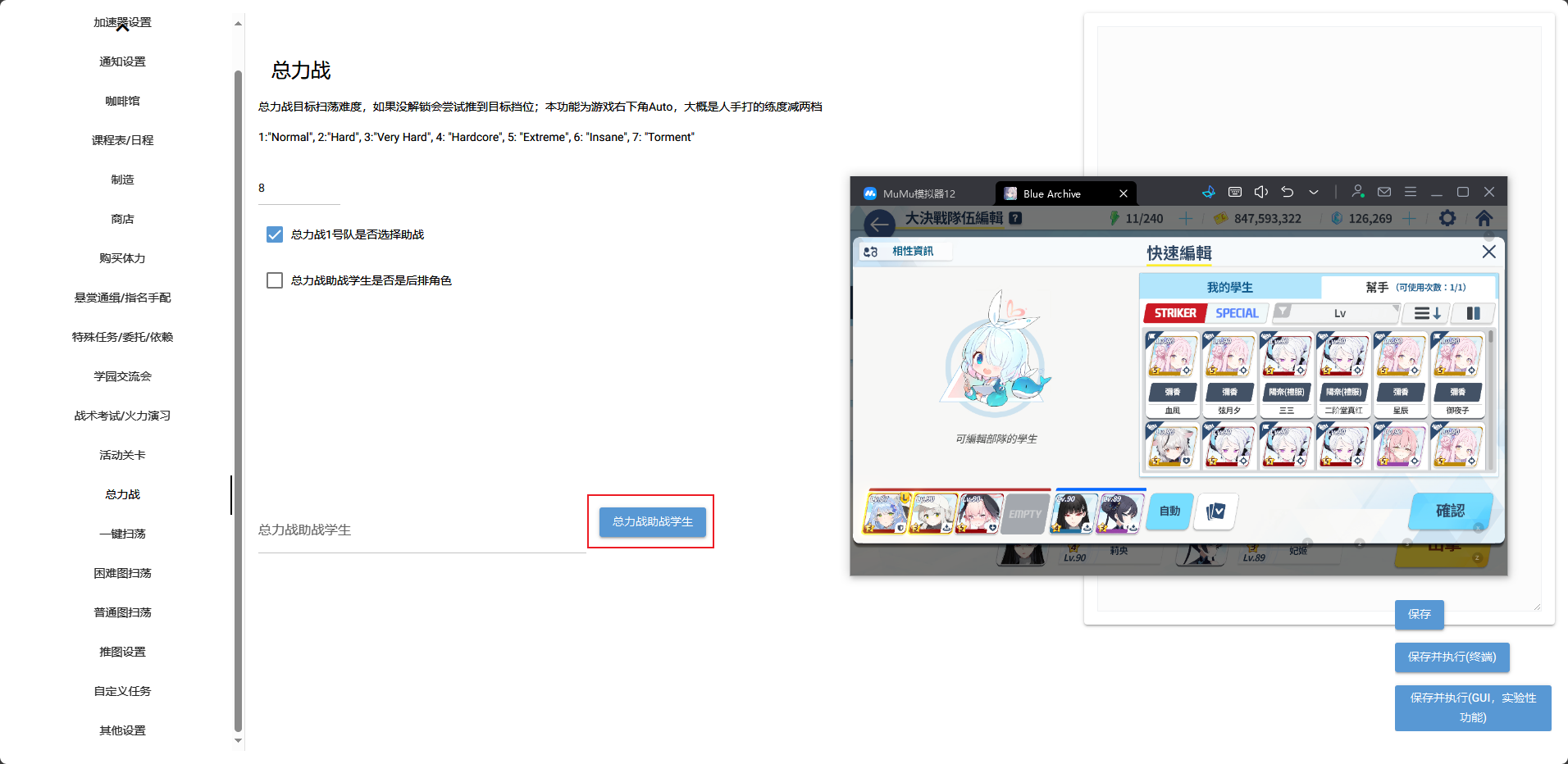
- In the popup window, use the left mouse button to select the students you want to borrow.
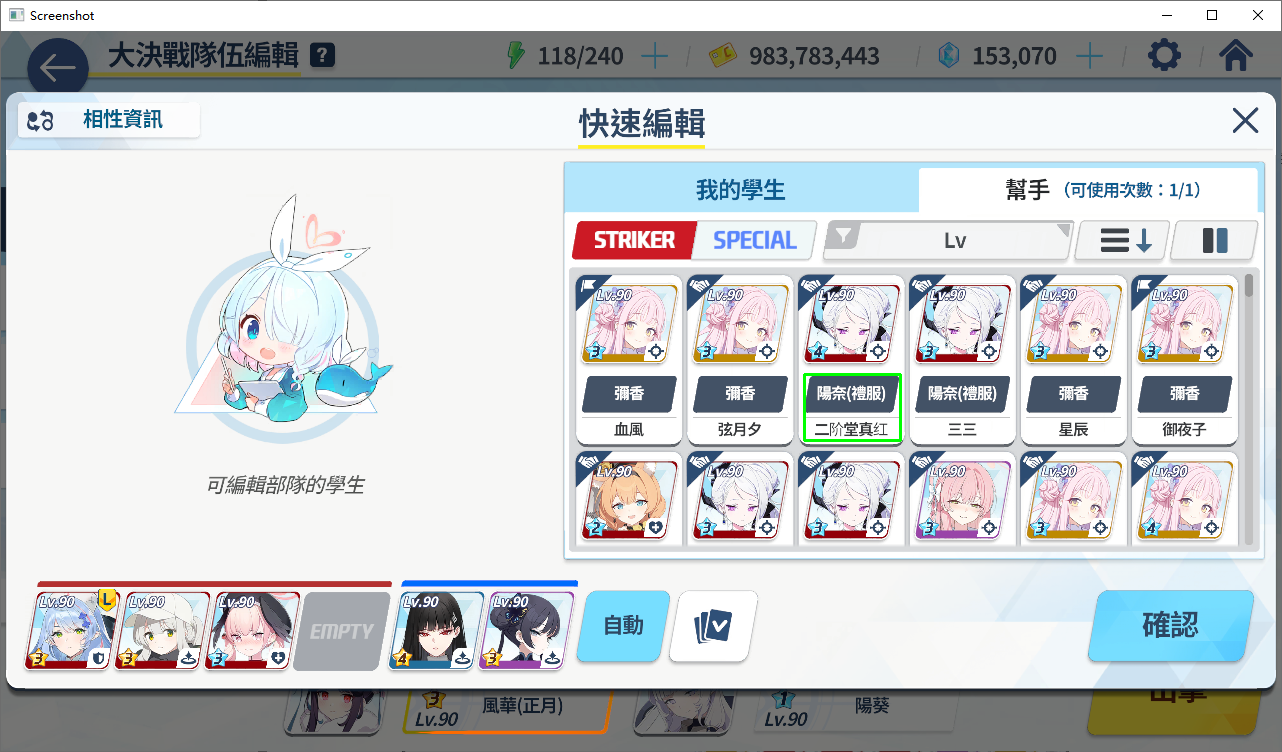
📝 Note: If you need to borrow SPECIAL students, please check
Whether assault helper is support roleto enable this feature. You only need to leave an empty slot in the back row, and select the SPECIAL students you want to borrow.