AI Translation Notice
This document is automatically translated by AI. If you can read Chinese, we recommend checking the original Chinese documentation for more accurate information.
Schedule
Automatically Calculate Courses Through Room Weights
TIP
Please check the option Whether recognize which room to click in the timetable to activate this feature.
Edit by entering numbers to set weights, where higher numbers indicate higher priority.
- Weight of rewards: Prioritize higher-level courses to obtain higher-grade Blu-ray Disc and Notes.
- Weight of heart: Prioritize courses with students to gain more relationships.
- Weight of lock rooms: Prioritize increasing area level to unlock more rooms.
Manual Entry
TIP
Please uncheck the option Whether recognize which room to click in the timetable to activate this feature.
Location
Location refers to the top-level school name, sorted from top to bottom.

If no content is filled in for the corresponding area, it will display No tasks set here and skip the area directly.
Room Number
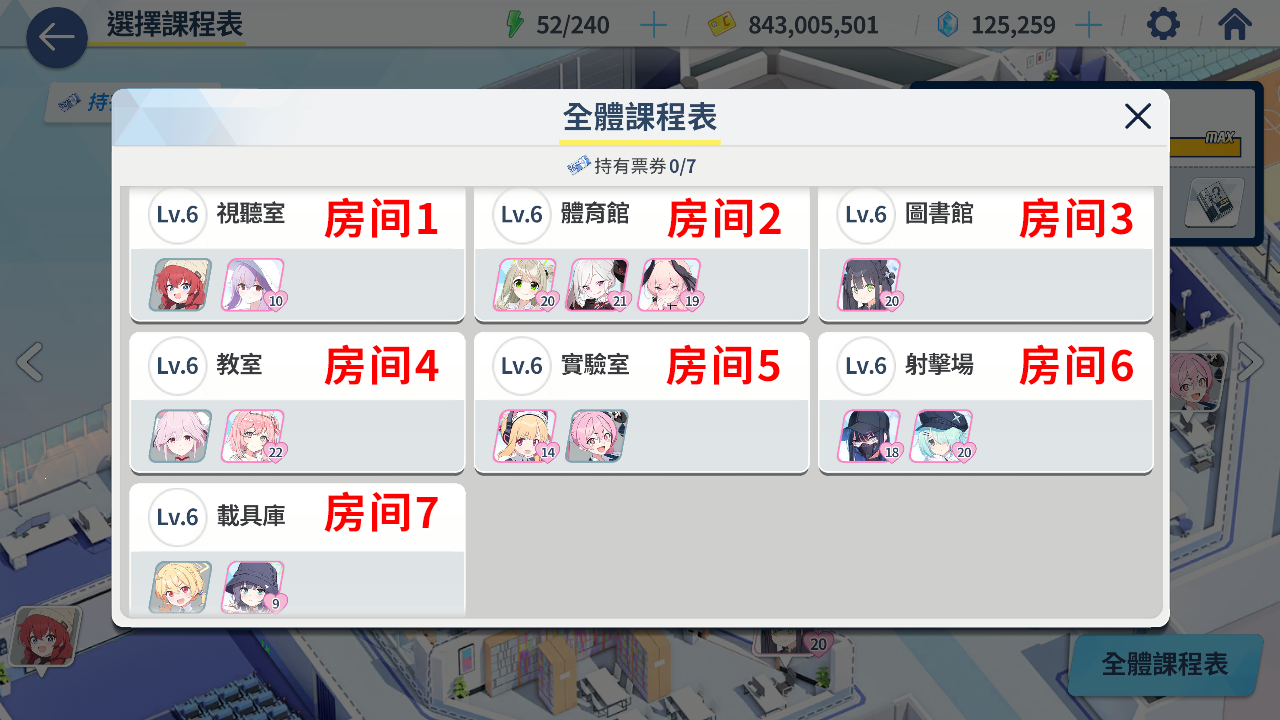
Room Number refers to the classroom numbers you want to visit after entering the corresponding area, counted from left to right and top to bottom, with numbers ranging from 1 to 9.