AI Translation Notice
This document is automatically translated by AI. If you can read Chinese, we recommend checking the original Chinese documentation for more accurate information.
Cafe
TIP
Please raise the cafe view to the highest position, preferably move the furniture to the right, then move the view outside the furniture screen.
Try to minimize the use of yellow furniture to improve recognition rate.
If you need to use interactive furniture, please turn off the interaction switch.
Configuration Introduction
Collection: Check
Whether collect in cafeto enable this function, which will collect cafe outputs.Touch Head: Check
Whether touch in cafeto enable this function, which will increase relationships by touching heads.Student Recognition: Check
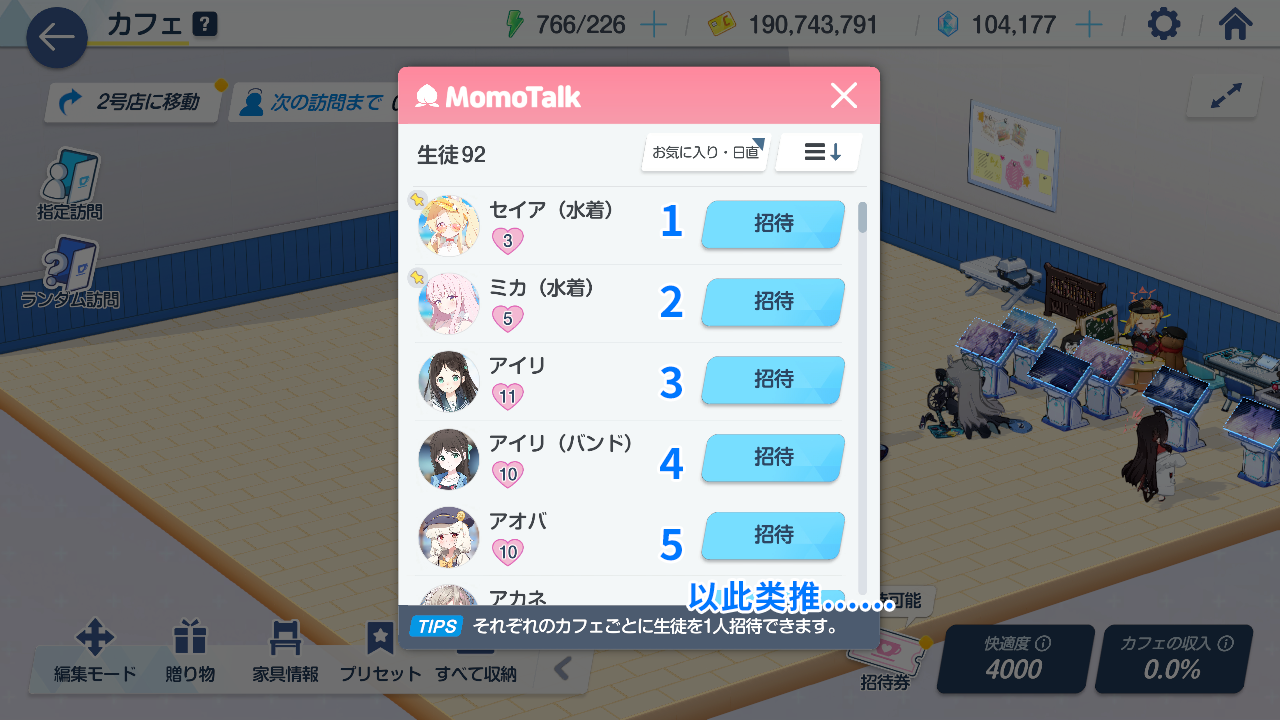
Enable student recognize touch modeto enable this function, which will recognize and click on student positions. Otherwise, it will recognize and click on attention symbols.Student Invitation Number: Use invitation coupons to invite corresponding students. Fill in numbers from top to bottom, enter 0 for no invitation.
- Postpone Invitation if Same Name Student is Present: Check
Whether defer the invited student when same name students is in cafeto enable this function. When a student with the same name is already present (i.e., pop-up asking whether to switch students), it will invite the next numbered student.
📝 Note: If
Whether reversedis checked, it will invite the previous numbered student instead.
Invite Specific Students
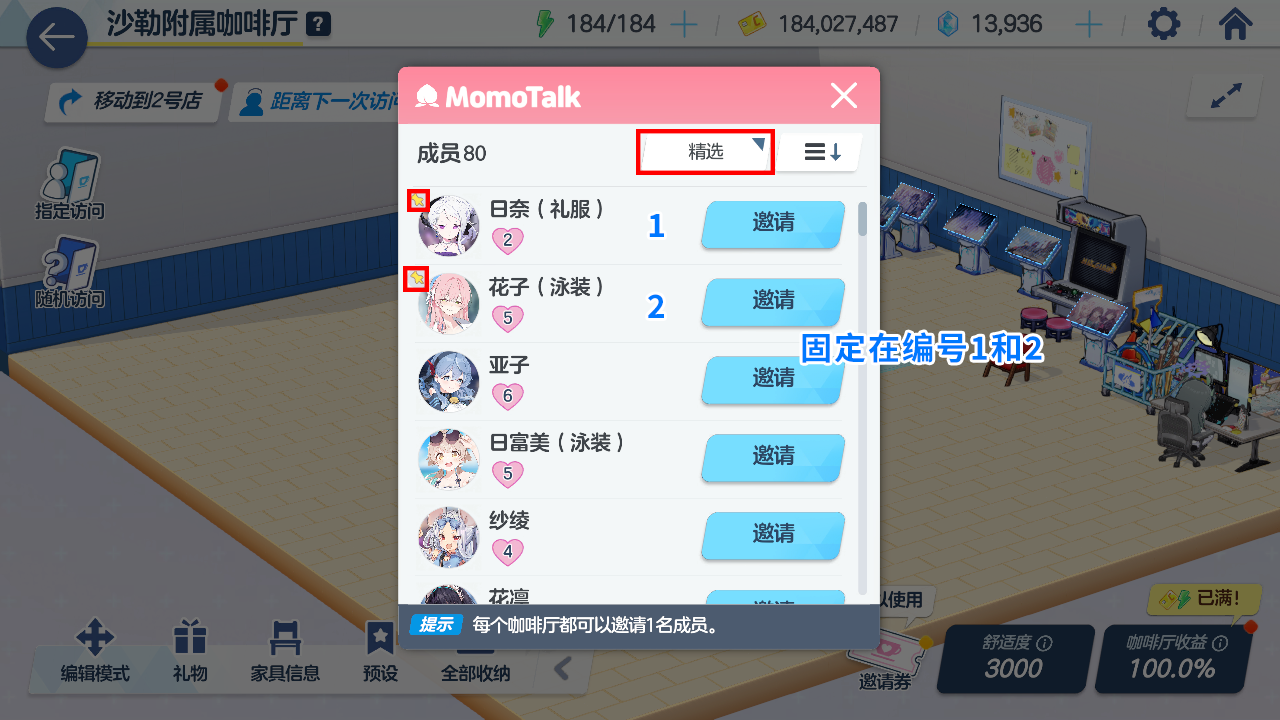
- In the student interface, set the student you want to invite regularly as Pinned (click the pin icon on the top left of the student's avatar).
- In the cafe interface, set the filter method in the cafe invitation list to Pinned.
- You will find that the specified student is pinned at the top of the list. Enter their current number to invite that specific student.